For Delivery Fleets
Dispatch infrastructure for local courier fleets
Orders route automatically to your nearest available courier. Onboard couriers with a single Telegram link. Run dispatch from one live dashboard.
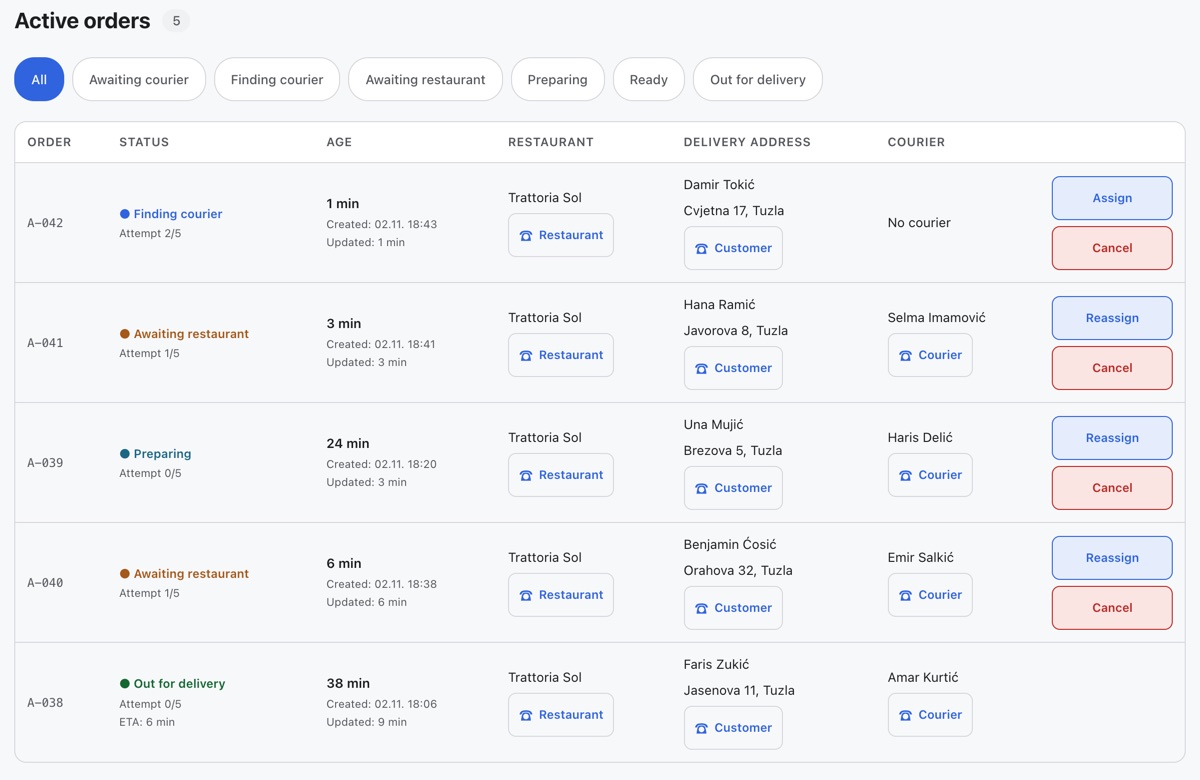
Orders route automatically to your nearest available courier. Onboard couriers with a single Telegram link. Run dispatch from one live dashboard.
QRForge handles courier assignment, offer timeouts, and stuck-order recovery — you manage the fleet.
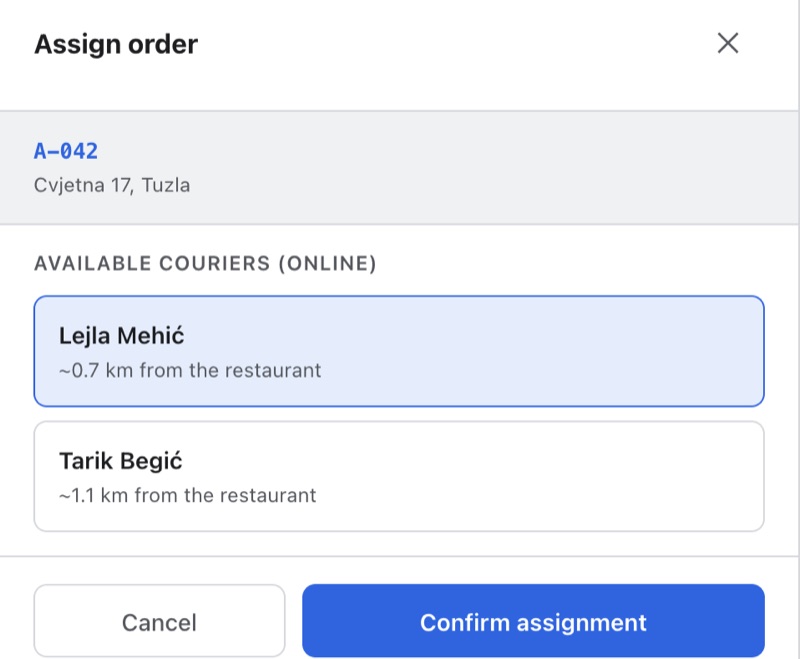
When a customer places an order, it's offered to your nearest online courier within a configurable radius. No response in 45 seconds and it moves on to the next-nearest shortly after. You're alerted on the third attempt, and after five attempts without a courier the order is cancelled. Once a courier accepts, the restaurant confirms it.
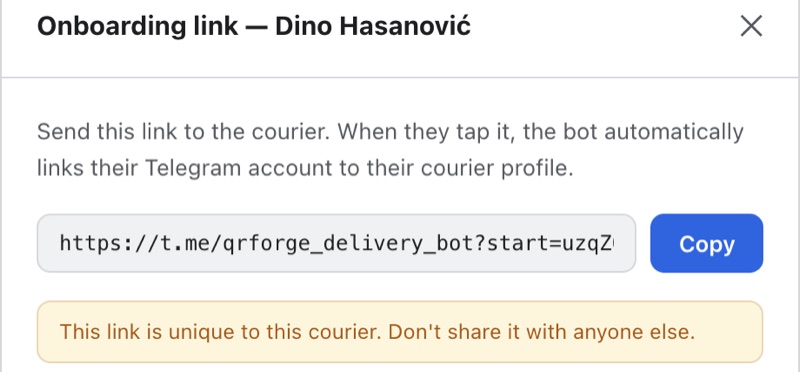
Add a courier's name and phone number, then generate a one-tap Telegram onboarding link. They tap it, then go online from Telegram — no app store download, no separate account setup.
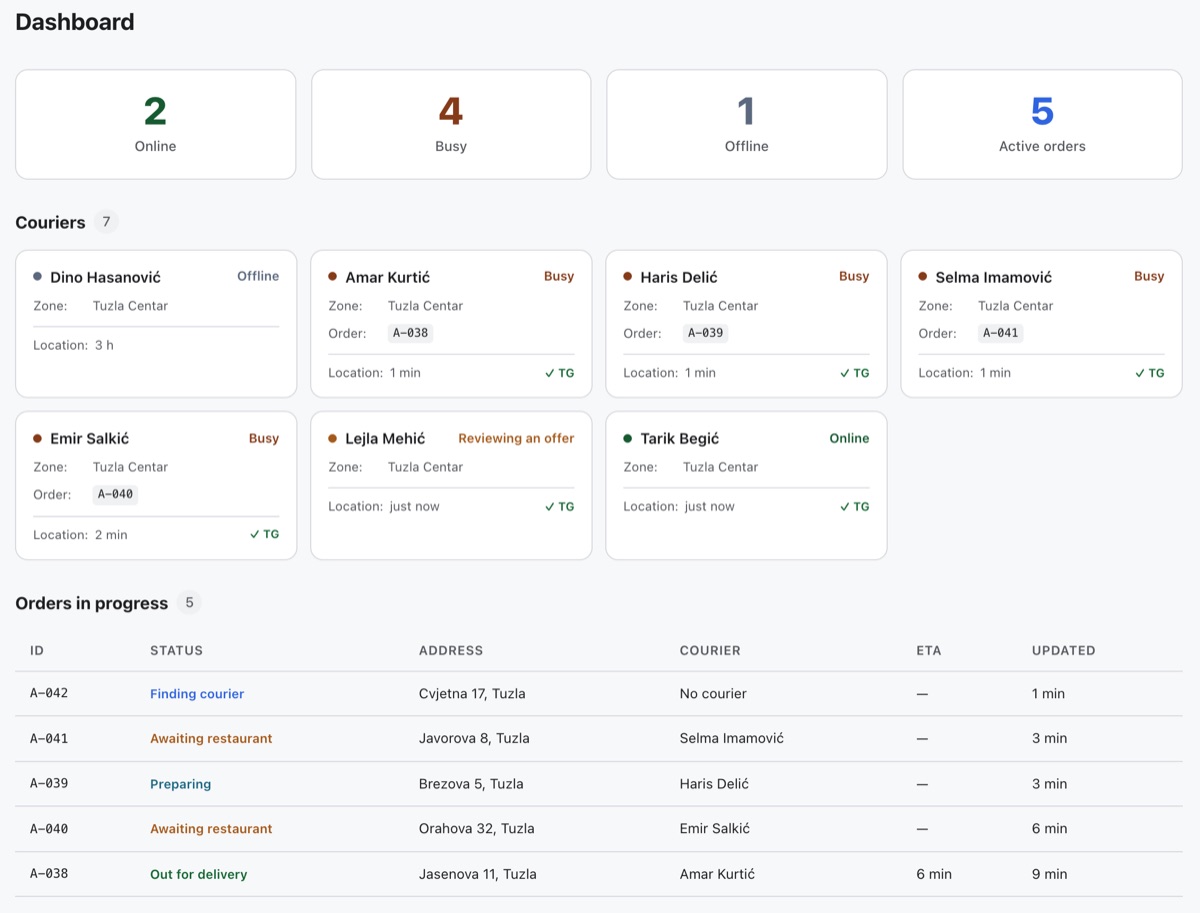
See every courier's live status, every in-flight order, and step in with a manual reassign or cancel before pickup. You set up delivery zones and pricing yourself in the QRForge app.
What happens the moment a customer places an order.
The order is offered to your nearest online courier within the delivery radius.
Courier has 45 seconds to accept. No response, and it moves on to the next nearest.
Pickup and delivery status update live on your dashboard and the customer's tracker.
Stuck at pickup for 15 minutes? The order is automatically freed and reassigned.
Tell us your city and approximate courier count, and we'll review your access.